Factory
Runner profiles
A runner profile gives a group of runners the same GitHub token and other secrets. Set the token once, tick the runners, and every Factory thread on those runners signs in to GitHub with it. Workflows on those runners can use the profile's secrets too.
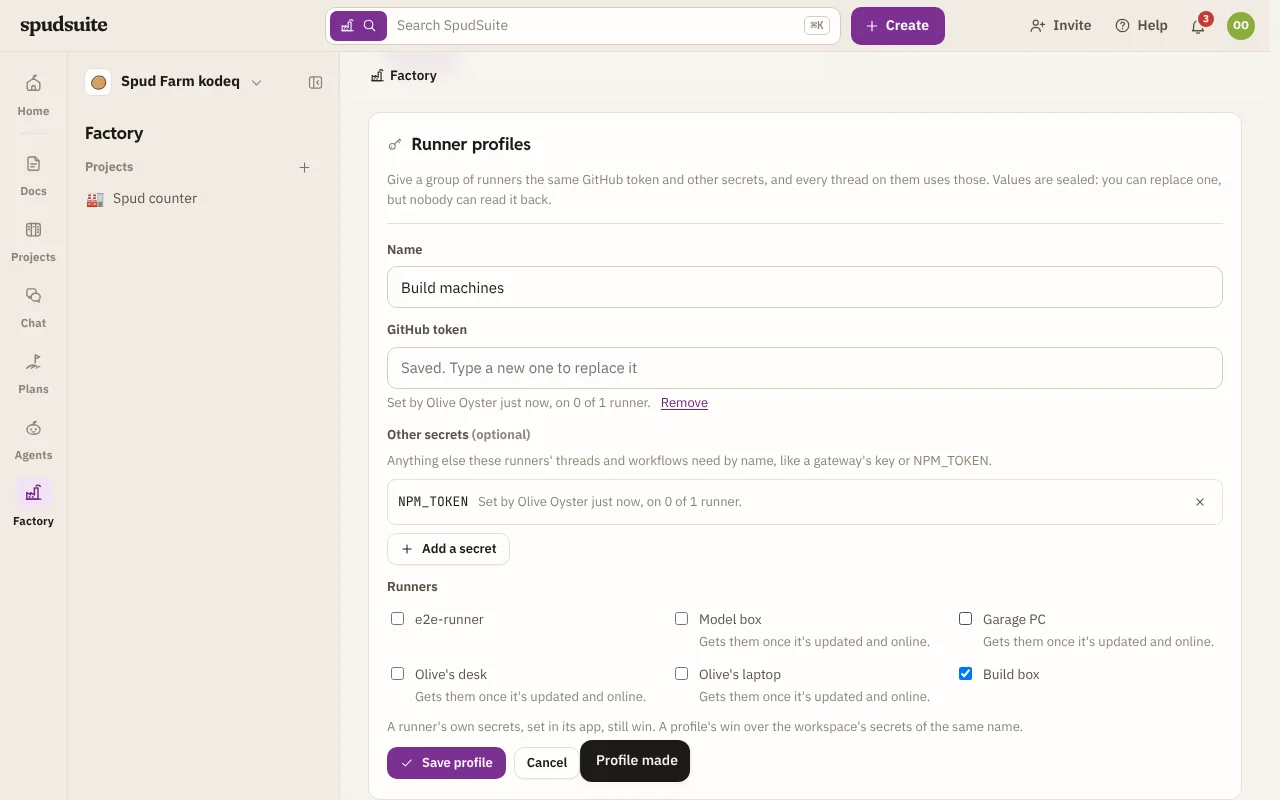
Make a profile
You need to be a workspace admin.
- Open Factory on the rail. Runner profiles is below Runners.
- Choose New runner profile and give it a name, such as "Build machines".
- Paste a GitHub token. A fine-grained personal access token needs Contents and Pull requests set to Read and write on the repositories your projects use. A classic token needs the repo scope.
- Optionally choose Add a secret for anything else these runners need by name, such as an LLM gateway's key or
NPM_TOKEN. - Tick the runners that should use it.
- Choose Make profile.
Each runner gets its own sealed copy within a few seconds if it's online, or as soon as it next connects. The Factory page then shows Profile: under each runner in it, and the runner's GitHub line says it's signed in with a personal access token.
Sealed, not shown
SpudSuite keeps each value encrypted and sends it to a runner sealed with that runner's own key. Nobody can read a value back, including admins: the profile shows only each secret's name, who set it, when, and how many of its runners have the current one. To change a value, type a new one and save. To take one away, choose Remove (or × beside it) and save.
Which value a runner uses
A runner is in one profile at most. Ticking a runner that's in another profile moves it.
When the same name is set in more than one place, the most specific wins:
- A secret set on the runner itself, in its app or its environment.
- The runner's profile.
- A workspace secret.
So a profile can give a few runners a different GitHub account from the rest of the workspace, and a runner can still keep its own.
Deleting a profile, or taking a runner out of one, deletes the profile's secrets from those runners. Where the workspace has a secret of the same name, they go back to that.
Runners on people's own computers
A runner in personal mode doesn't get workspace secrets, but it does get a profile's when an admin ticks it. Your own computer can be put in a profile, or taken out, only by you.