Factory
Feature health
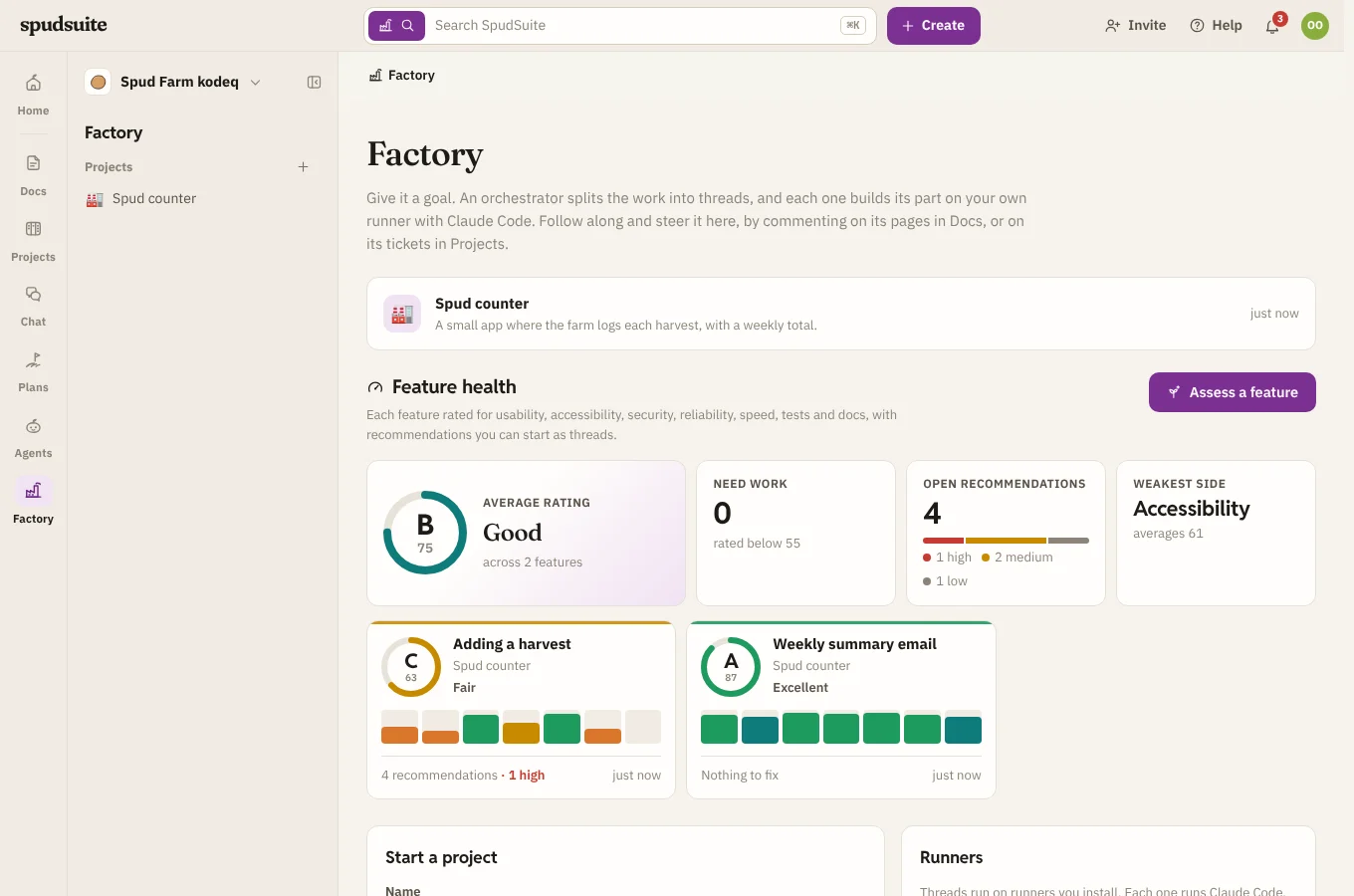
Feature health on Factory's home rates the features of the software your projects build. Each assessment looks at one feature, such as "Adding a harvest" or "Signing in", from seven sides and gives it a rating, a breakdown and recommendations you can start as threads in one click.
Ask for an assessment
- Open Factory on the rail and choose Assess a feature under Feature health. On a project's Overview, it's next to Feature health there.
- Choose the Project, if you have more than one.
- Name the Feature, as something people do with it. Or leave it blank and the runner chooses the feature that matters most.
- Tick Keep assessing this project's features weekly if you'd like more without asking. See Weekly assessments.
- Choose Assess.
A card for it shows straight away, marked Queued and then Assessing now…. The runner uses the feature the way people would, if it may start the app (see the commands you let threads run), and reads its code. It doesn't change any files. An assessment counts as one of the project's background runs for the day, and waits for spare AI budget if the project's checks do.
Each project has one assessment on its way at a time. Assessments need SpudSuite Runner 0.1.29 or later: with an older runner, the card says so and waits until it's updated.
Read the rating
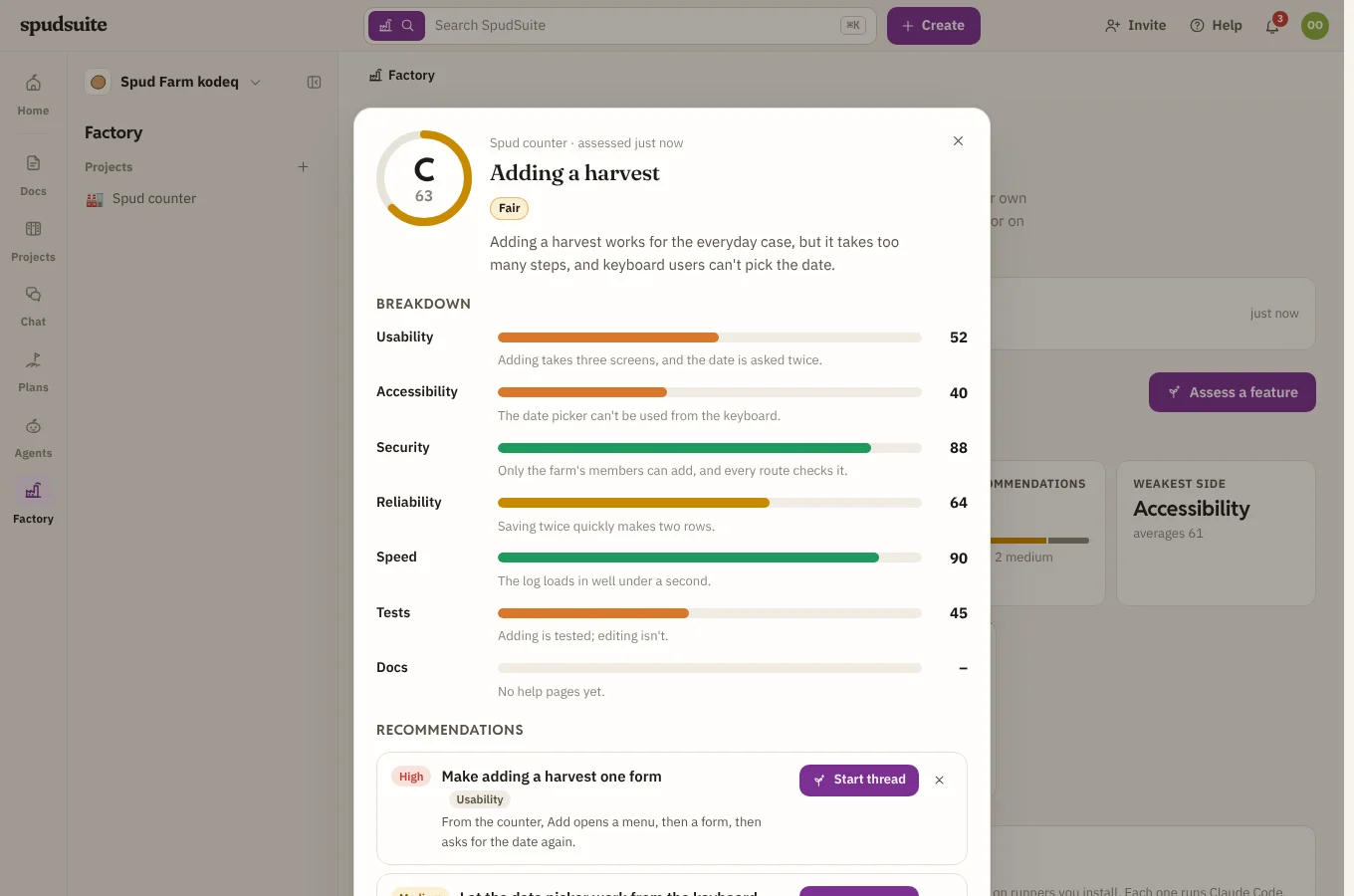
Each side gets a score from 0 to 100:
| Side | What it looks at |
|---|---|
| Usability | How easily someone new gets it done: words, steps, feedback, dead ends |
| Accessibility | Keyboard use, screen readers, contrast in light and dark, zoom |
| Security | Access checks, how input is handled, secrets, what one person could see of another's |
| Reliability | Errors handled, data kept safe, what happens on retries and bad input |
| Speed | How quickly it loads and answers, and wasted work |
| Tests | How much of its behaviour tests cover, and whether they pass |
| Docs | Whether help and docs describe it as it is |
A side the runner can't judge, such as docs for a feature that has none, is left out. The feature's rating is the average of the sides it scored, with a grade:
- A, Excellent: 85 and up
- B, Good: 70 to 84
- C, Fair: 55 to 69
- D, Needs work: 40 to 54
- E, Poor: below 40
Each card shows the feature's grade and rating, a short bar for each side (taller is better), how many recommendations are open, and, after its second assessment, how much it went up or down since the one before. The worst-rated features come first.
Above the cards, at a glance: the Average rating across features, how many Need work (rated below 55), the Open recommendations by how much they matter, and the Weakest side across all of them.
Act on a recommendation
Click a feature's card to see it in full: what the runner found, each side's score with why, how its rating has moved, and its Recommendations, most serious first. Each is marked High, Medium or Low, with the side it would improve.
- Choose Start thread to start a thread on it straight away, with what the runner saw and a brief for the fix. You land in the thread, and the orchestrator hears that you started it.
- Choose × if it isn't worth doing.
- Choose Assess again once the fixes are in, to see how far the rating moved.
A new assessment of the same feature replaces the recommendations you hadn't started or dismissed. Ones you started stay, marked Thread started, so you can open their thread.
Weekly assessments
Tick Feature assessments under Looking at the software in a project's background checks to have the runner assess on its own, weekly or daily. Each run picks what most needs a look: an important feature that's never been assessed, one that changed since its last assessment, or the lowest rated. A run assesses up to three small features.
Each project's own feature health is on its Overview too.