Agents
Datasets and recordings
A dataset is a list of eval cases that several evals can share. Recordings are runs kept whole so an eval can replay them offline. Put the two together and your evals grow from what your workflows really did, one reviewed run at a time.
Record runs
There are three ways to record a run:
Tick Record this run when you start one, or choose Run again and record on a finished run.
Give a workflow a capture sample, and that share of its runs is recorded. Runs from triggers count too. For one run in ten, add this to the workflow's YAML:
spec:
  capture:
    sample: 0.1
A recording keeps the run's inputs, every model answer and connector response, and each step's output. Secrets are kept as names, never their values. Recordings are deleted after 30 days, unless a dataset or eval case uses them. They count towards your workspace's file storage.
Review recordings
Open Build › Recordings. To review lists recorded runs that nobody has looked at yet, with what went in and what came out. For each one, choose:
- Good if it did the right thing. It joins the workflow's dataset as a case that expects exactly what came out.
- Wrong… if it didn't. Write what it should have returned and choose Save the fix, and it joins the dataset expecting your fix. Choose Just mark it wrong to leave it out.
- Skip if it's not worth keeping.
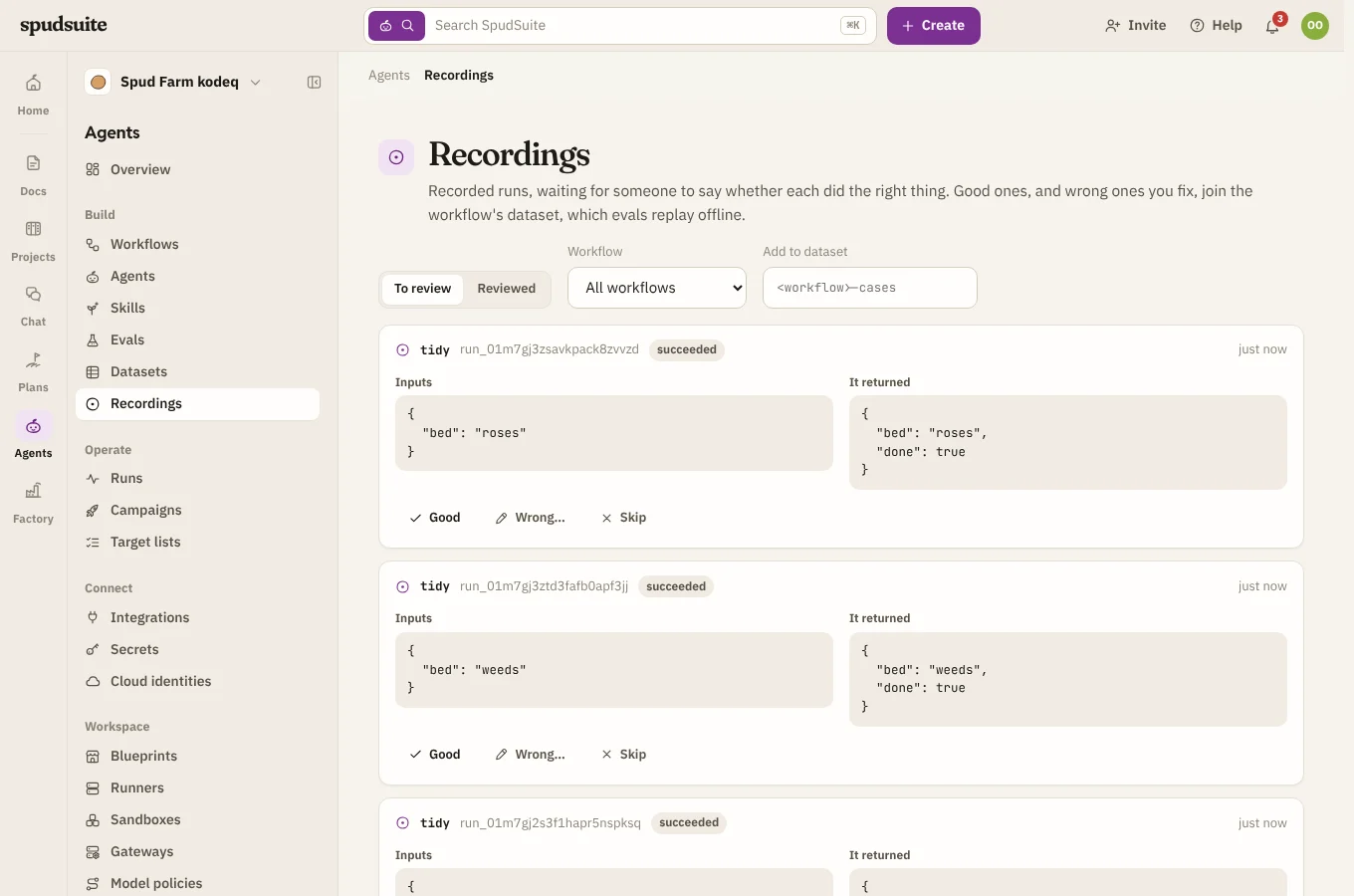
Cases go into <workflow>-cases, which is made for you the first time. To use another dataset, type its name in Add to dataset first. Reviewed lists the recordings you've already marked.
Datasets
Build › Datasets lists your datasets. Open one to edit its cases by hand. A case marked recorded replays a recording.
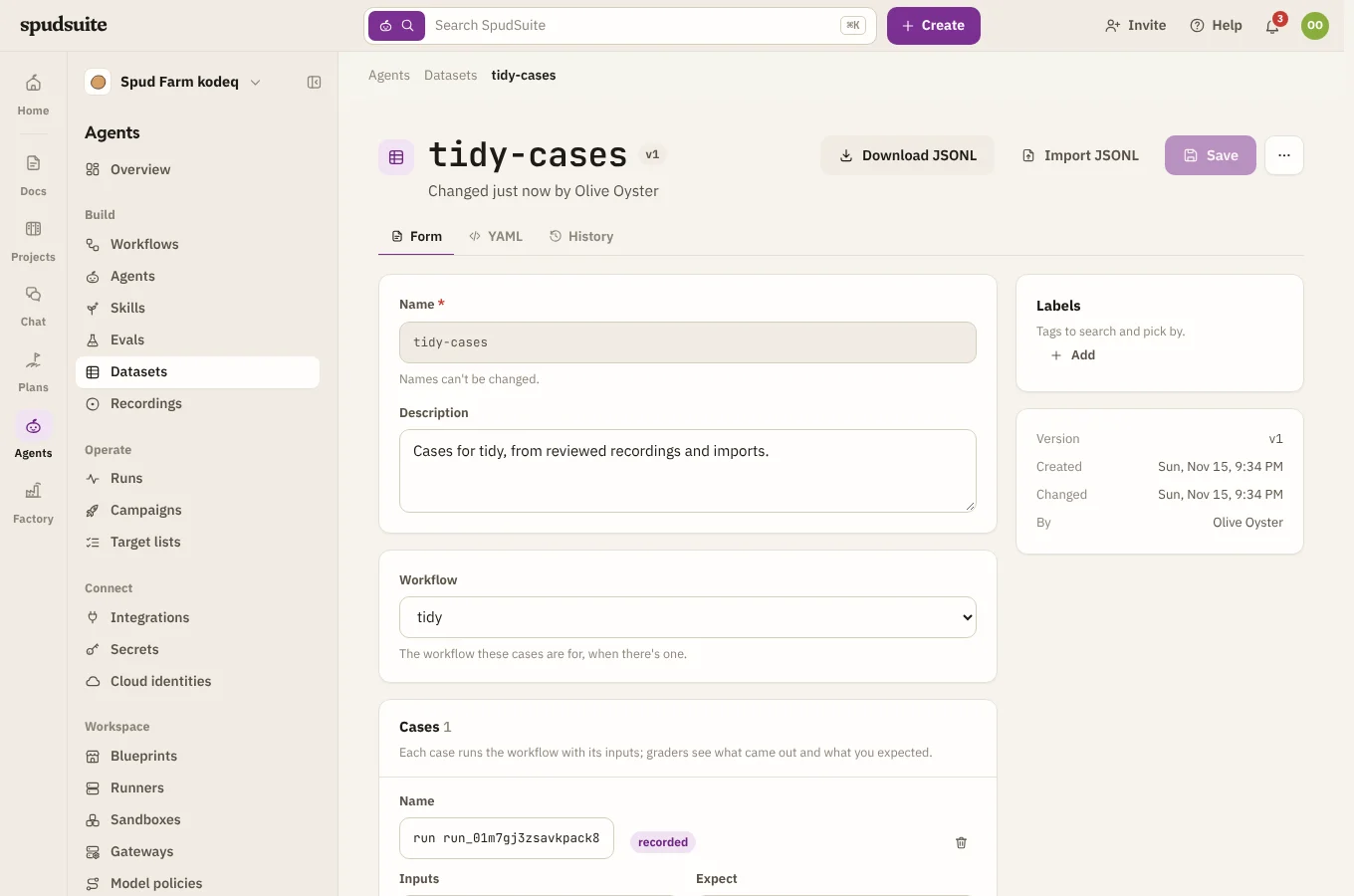
- Download JSONL saves the cases as a file, one case a line, ready for git or another tool.
- Import JSONL adds the cases in a file to the dataset. Each line is a case with at least a
name, like{"name": "short text", "inputs": {"text": "hi"}, "expect": {"label": "small"}}.
Use a dataset in an eval
In an eval, pick the dataset under Cases from a dataset. Its cases run along with any written in the eval, as they are each time the eval runs. To replay the recordings instead of running live, give the eval a replay section:
spec:
  workflow: label
  dataset: { name: label-cases }
  replay: { mode: full }
  graders:
    - { name: same-outputs, type: expression, check: "outputs == expect" }
Every case needs a recording to replay. A dataset case you typed in by hand has none, so the eval won't start until you remove it or drop replay.
Check a change against production
To replay your latest recorded runs against the current version of a workflow, use from_runs with replay. Each case expects what that run returned at the time:
spec:
  workflow: label
  from_runs: { limit: 50, since: 7d }
  replay: { mode: full }
  graders:
    - { name: same-outputs, type: expression, check: "outputs == expect" }
Any case that now comes out differently shows you what your change would have done to real traffic. If a changed workflow asks for something the recording doesn't have, that case fails with a tape miss (see Replay recorded runs).
Datasets and replaying production runs need runners from version 0.1.27.