Agents
Agents, skills and the build catalog
Beyond workflows, Agents keeps everything a workflow builds on: agents, skills, sandbox profiles, gateways, model policies and more. Each is a versioned resource like a workflow, made and changed in SpudSuite and synced to your runners.
One editor for everything
Every kind in the sidebar under Build and Organisation opens the same way: a list, and an editor with three tabs.
- Form: the settings, with help for each one. SpudSuite checks it as you type.
- YAML: the same thing as text. Edits here change the form.
- History: every version, who saved it and what changed. Restore saves an old version again as a new one.
Save with Save or Ctrl S. Names are lowercase letters, digits and dashes, unique in the workspace, and can't be changed later, because other resources use them by name.
Agents
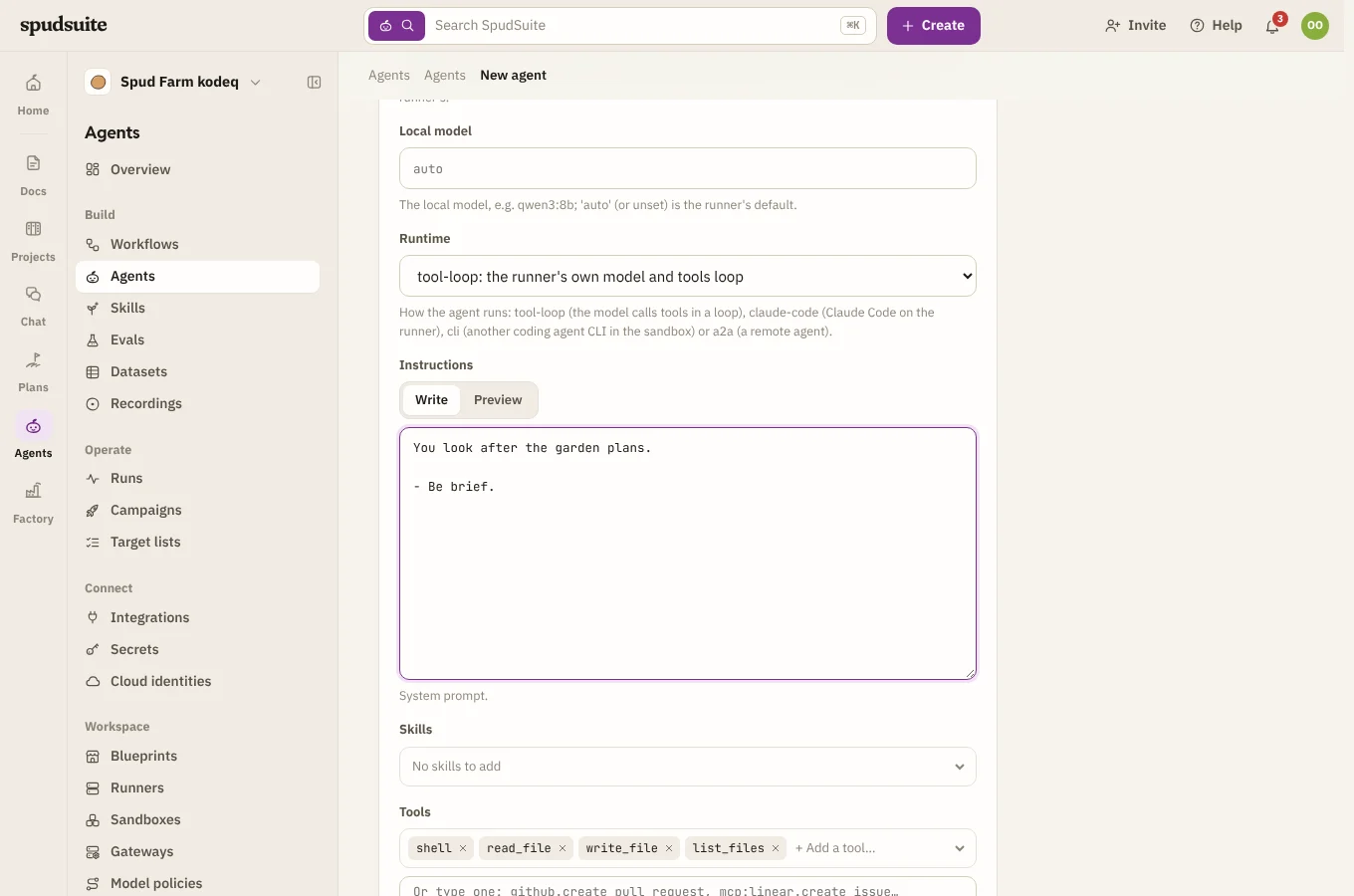
An agent is a reusable worker for agent steps: a model, instructions, the tools it may use, the skills it knows, the sandbox it works in and its limits (such as a budget). Name it in a workflow step with agent: triager, and every workflow that uses it gets the same behaviour.
- Provider and model: Claude through the Messages API, Claude Code (
claude -p, for agents that work in a code checkout), any OpenAI-compatible service, orlocalfor a model on the runner's own machine. - Local models: Claude only, Local first (Claude takes over when the local model is busy or the job is too big) or Local only, and which local model. See Local models.
- Tools: SpudSuite's own actions, actions from your connections, and MCP servers.
- Sub-agents: other agents it can hand work to.
Skills
A skill is know-how an agent can use: a SKILL.md with instructions, plus any helper scripts or reference files next to it.
- Write your own under Skills.
- Import ready-made ones from your workspace's skill sources: public GitHub or GitLab repositories in the Agent Skills layout, or a skills registry. Once there's at least one, Skills gets two more tabs: Marketplace to browse and import, and Imported to keep imports up to date. An imported skill is an ordinary skill, labelled with where it came from. Check for updates shows what importing it again would change; Upgrade or Roll back moves between versions.
- Admins add skill sources with Add a skill source on the Skills page, or under Workspace › Skill sources. Check SpudSuite can read it tests one before you save it.
Sandboxes
script and agent steps run in a sandbox, and each runner decides where: on its own machine, in Docker, in Kubernetes pods, in the personal runner's OS sandbox, or with a hosted provider such as E2B whose keys it holds. Runners shows each runner's sandboxes; its default is highlighted.
A sandbox profile (under Runners › Sandbox profiles) says what a step needs: the image, CPU, memory, disk, network access, the working folder and how long it lives. Leave its backend as Each runner's default unless a step needs a particular one; a run whose profile names a backend goes only to a runner that has it, and waits, saying which sandbox is missing, until one does.
Gateways and model policies
A gateway says how model requests reach a provider: directly, or through LiteLLM, Portkey, OpenRouter, Bedrock and others. It names the secret on your runners that holds the key, and any headers to send. For Claude Code agents, a gateway can use an API key or, where allowed, each person's own Claude sign-in on their runner. An
openai-compatiblegateway that serves Claude under its own names has Models for Claude Code: name the models for Opus, Sonnet and Haiku, or a Default. Runners then send Claude Code through it, and Claude agents use it when there's no Anthropic key.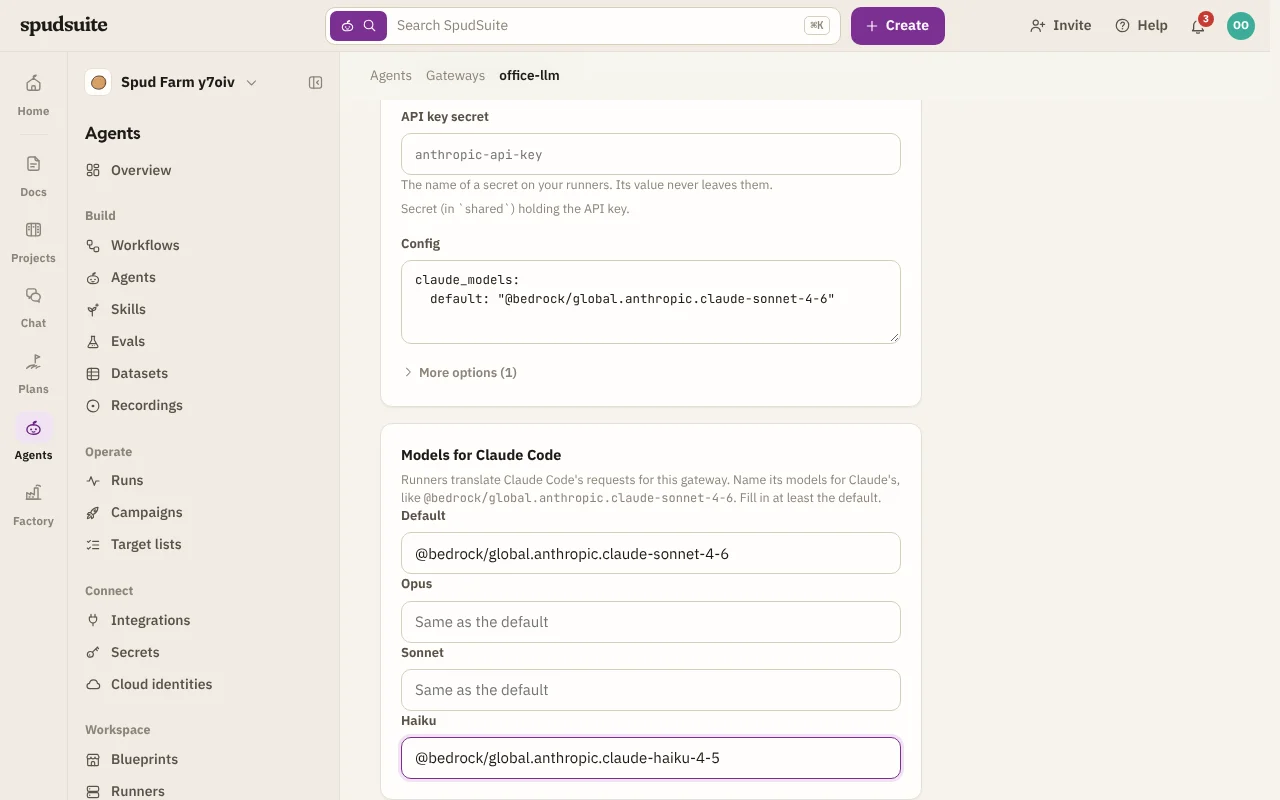
Models for Claude Code on an OpenAI-compatible gateway A gateway can be kept to some runners, such as the ones on the office network or VPN that can reach a company LLM gateway. Under Runners on the gateway, choose Only runners with labels and pick the labels a runner needs (it needs every one). The card lists the runners that can use it, and warns you when none can yet. Runs whose agents use the gateway then go only to those runners, and wait, saying which gateway they need, until one is online. The assistant does the same when it uses that gateway. If a model policy picks the gateway on a runner that may not use it, the policy moves on to its next choice. Give a runner labels on its page.
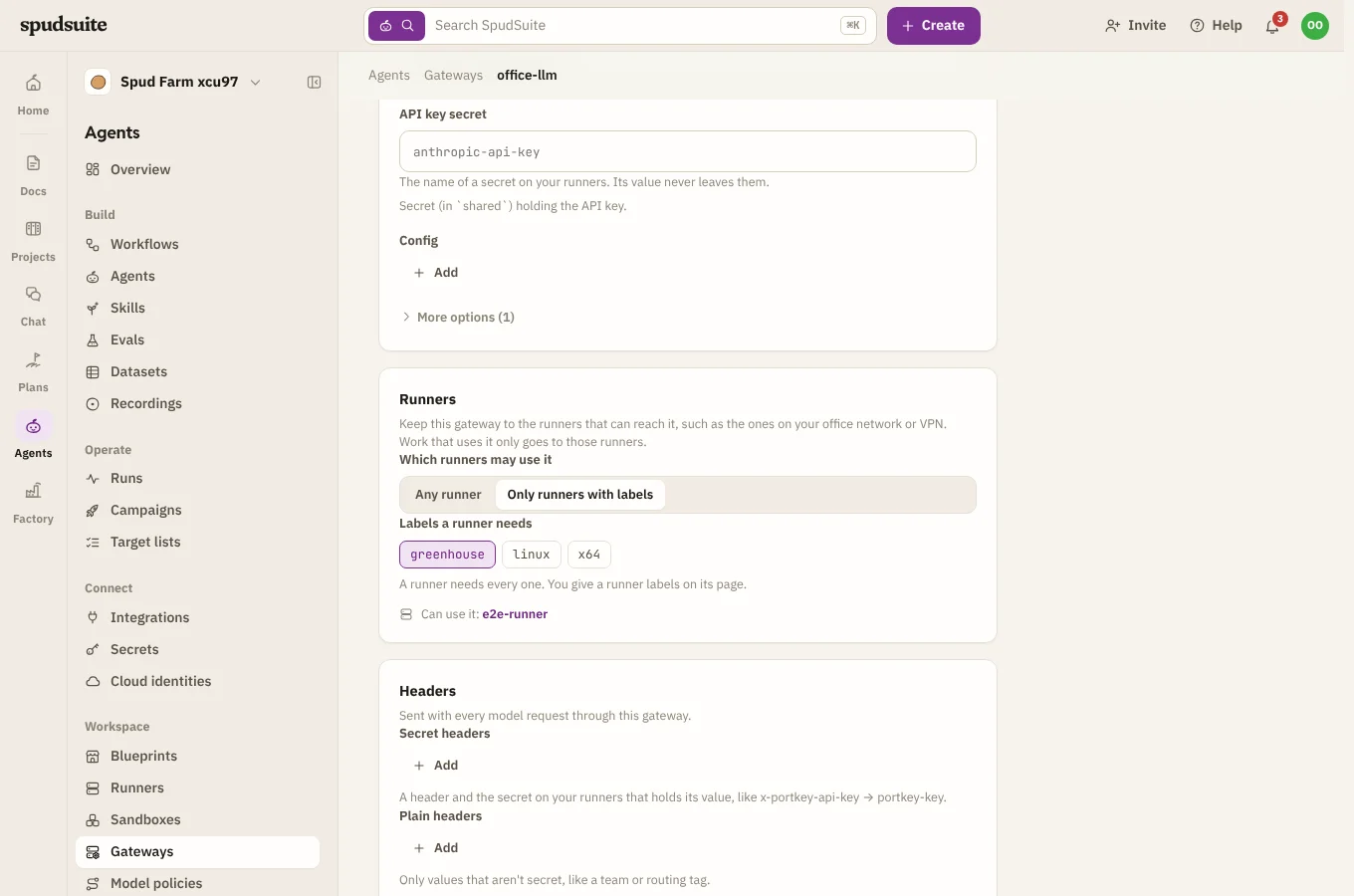
A gateway kept to runners with a label, and the runners that can use it An agent that names
anthropicas its provider, like the ones blueprints bring, needs a way to reach Claude. It tries these in order: anANTHROPIC_API_KEYsecret (for every runner, or one runner's own); then your workspace's Claude gateways, skipping any that nobody has signed in, then OpenAI-compatible ones with models for Claude Code; then Claude Code as signed in on the runner, when you started the run on a runner you added yourself (your own Claude plan serves only you, as in Factory). If none of these works, the run stops, says what would fix it, and links to Gateways.A model policy says which models may be used, and can route easy and hard work to different models.