Docs
Styled pages
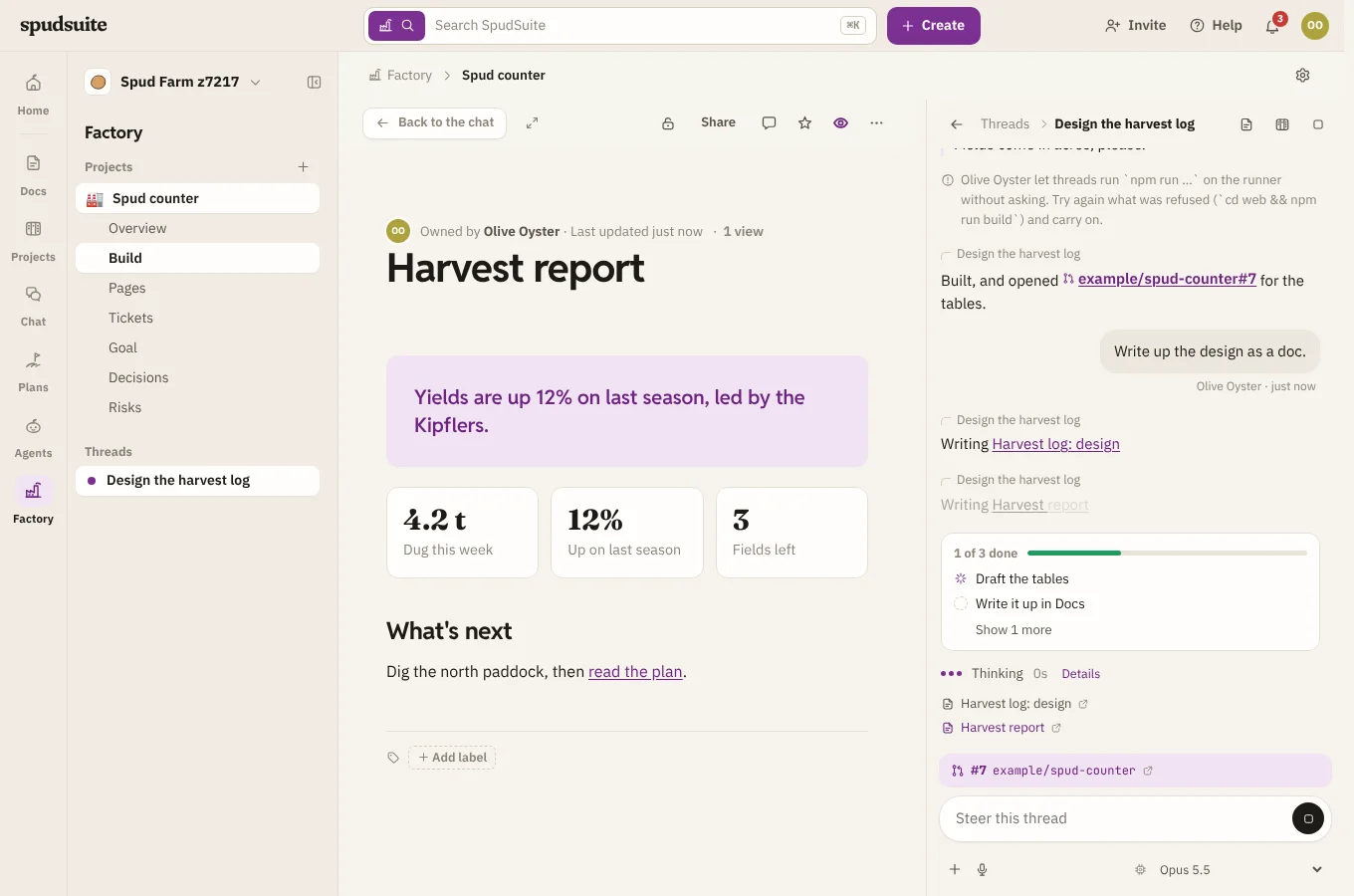
A page can hold a styled section: a designed piece with its own HTML and CSS, such as a report with a banner, stat tiles, cards and charts. Factory's threads write the docs you read this way, so they're easy to take in at a glance.
Reading one
A styled section reads like the rest of the page. It follows your light or dark theme, and links in it open the way other links do: pages in SpudSuite open here, other sites in a new tab. Search finds its words, and Download as Markdown or Word keeps them (without the styling).
Adding or changing one
- Type / and choose Styled HTML.
- Write or paste the HTML, with a
<style>sheet for its look. - Choose Save (or press Ctrl+↵).
To change one, point at it and choose Edit HTML.
Use SpudSuite's colours as CSS variables, such as var(--ink) for text, var(--surface) for a card, var(--line) for a border and var(--accent) for emphasis, and your section suits both light and dark. The fonts are there too: var(--font), var(--title), var(--display) and var(--mono).
What's kept out
Styled sections show in a frame that runs nothing. Scripts, forms, embedded frames, event handlers and javascript: links are removed when the section is saved, and again before it's shown. Pictures can come from the web, and fonts from Google Fonts; nothing else is loaded from elsewhere.