Docs
Comments, mentions and watching
Talk about a page right on it: comment on a sentence, mention someone, react, and resolve the thread when it's sorted.
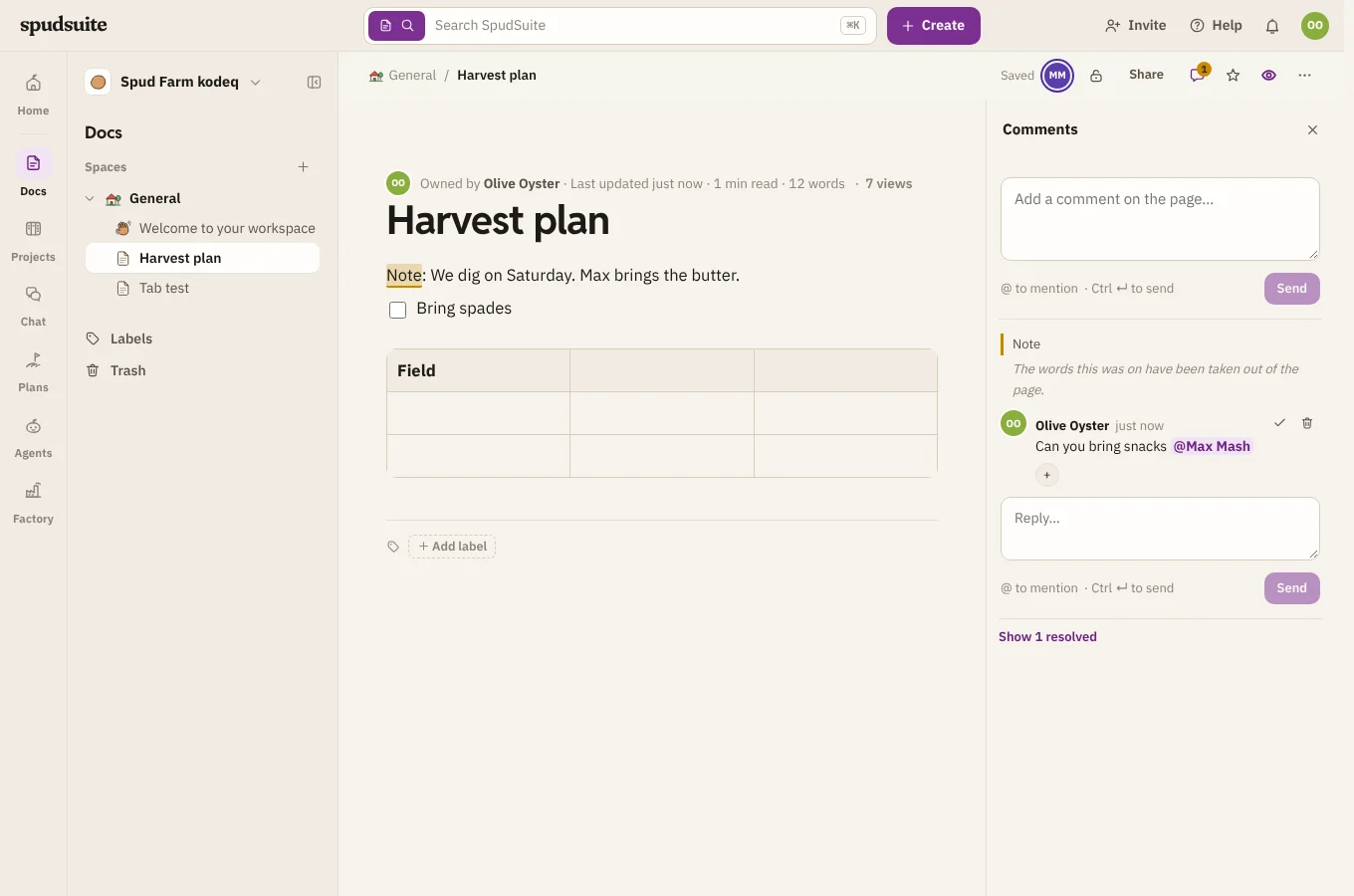
Comment on a page
- On some text: select a word, a sentence or a whole section, then choose Comment in the bar that appears. The words you chose are marked while you write, and stay highlighted while the thread is open. You can do this even on a page you can only read.
- On the whole page: open Comments at the top of the page and write in the box at the bottom.
A comment stays with its words. If someone types before them, or edits around them, while you're writing or long after, the highlight moves with the text. If the words are deleted, the thread stays and says so.
Press Ctrl ↵ (⌘ ↵ on a Mac) to send. Type @ to mention someone: they hear about it in their inbox.
Reply, react and resolve
- Reply under any comment to keep the conversation in one thread.
- Add a reaction with the smiley.
- Resolve a thread when it's done. It tidies away and its words go back to plain. Reopen it later and they're highlighted again.
- Choose the quoted words at the top of a thread to go to them in the page. Choose a highlight in the page to open its thread.
- Delete your own comment from its menu. Replies to it stay.
Everyone with the page open sees new comments, replies and resolved threads as they happen, without reloading.
Watch a page or a space
Choose the eye at the top of a page to watch it: you'll hear about new comments and edits (at most once an hour for edits, so you're not buried).
To hear about everything in a space, open the space and choose Watch space. You'll hear about new pages, comments and edits anywhere in it.
Only people who can see a page hear about it, so a restricted page stays quiet for everyone else.